
Dashboard
Overview
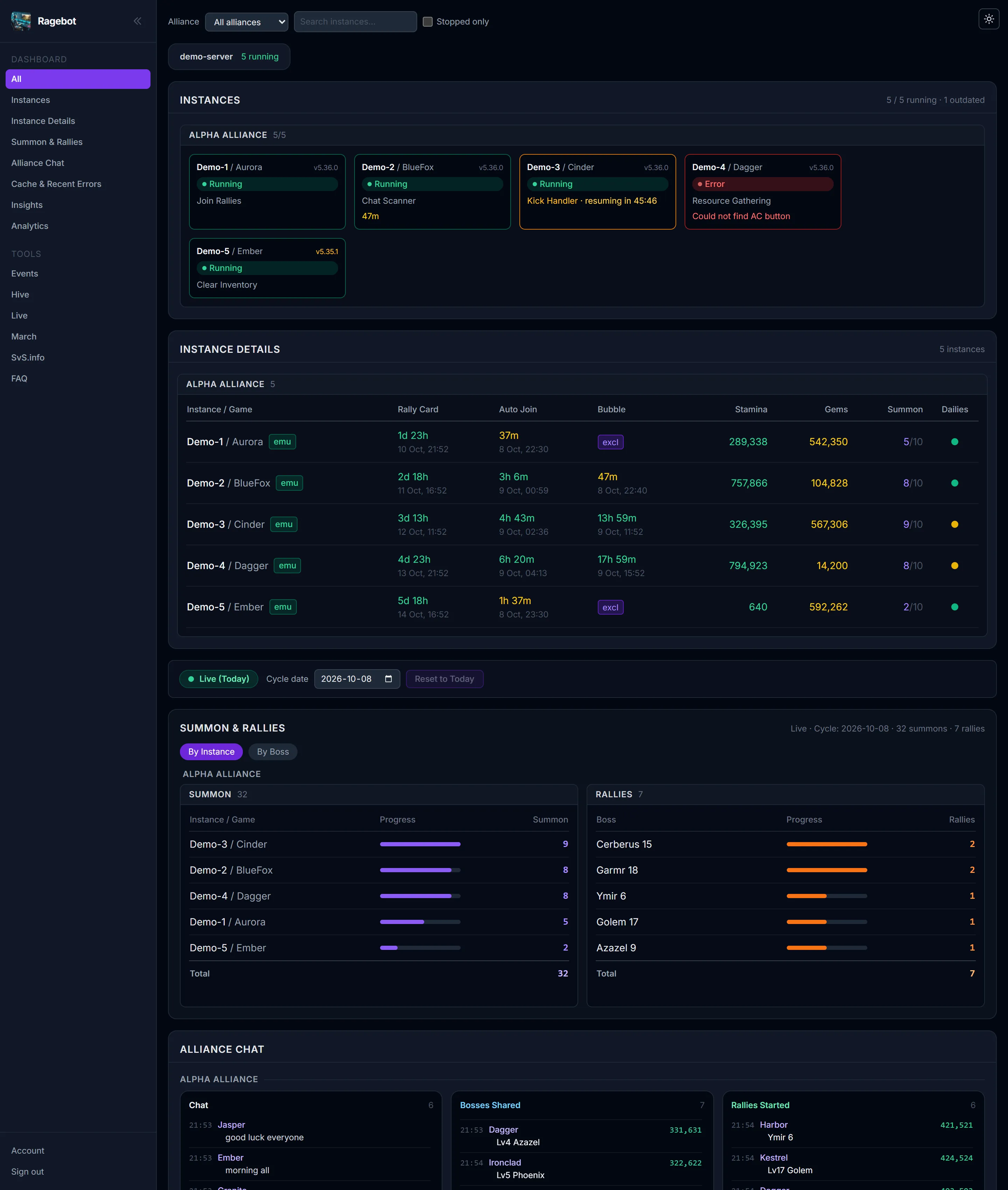
The first page after signing in: every box of the dashboard on one page — your accounts, their timers, summons, rallies, alliance chat, the boss cache and their health.
ViewerManagement

What you see
- Instances — every account as a card: running, stopped, kicked or in error, and what it is doing now.
- Instance details — rally card, Auto-Join, shield, stamina, gems, summons and dailies in one table.
- Summon & Rallies — today's summons per account and rallies per boss.
- Alliance chat — the conversation, shared bosses and started rallies side by side.
- Cache & Recent Errors and Insights further down.
- Every box also has its own page in the menu, for when you only want that one.
With Management
- Start, Stop, Restart and Force routine on every account card, right on the overview.
Good to know
- Filters at the top: alliance, a search box for account names, and Stopped only.
- The chip at the top counts how many accounts are running right now.
- If a machine stops reporting, its accounts stay on screen, greyed and marked, instead of disappearing.
- It updates by itself — no reload needed.